Kanban boards
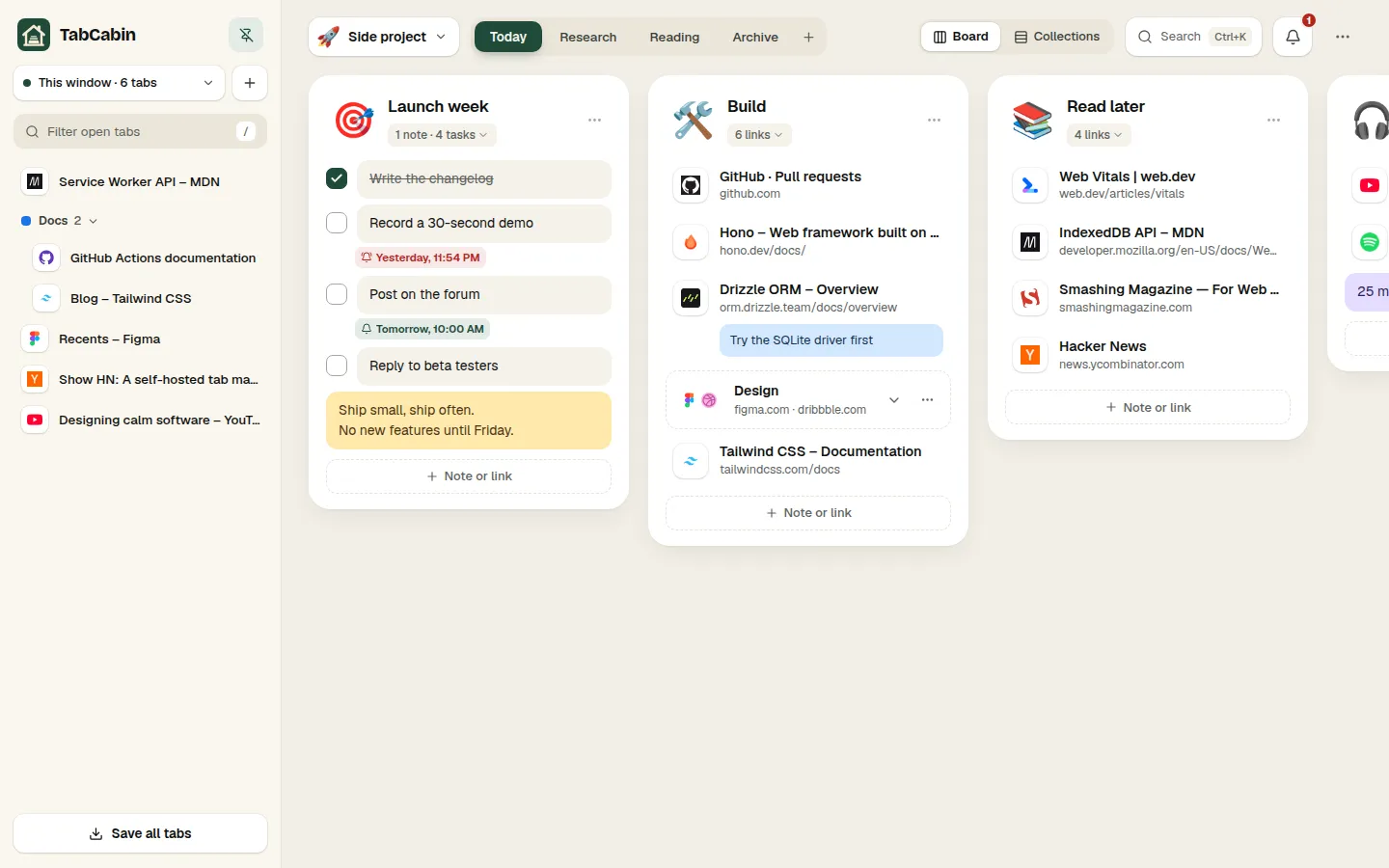
Categories, groups and big emoji headers. Resize, collapse, reorder — all by drag and drop.
An open-source tab manager that turns every new tab into quiet boards for your tabs, links, notes and to-dos. Works offline, no account needed. Sign in to sync your computers, or run your own server.
Free & MIT licensed · Chrome, Edge, Brave · no account needed
Animated preview of TabCabin: a tab is dragged from the open tabs panel into a group, a to-do is added and ticked off, and a reminder is set on a saved link.
Drag tabs into groups and close them. They stay one new tab away — searchable, with notes and reminders.
Categories across the top, groups as columns with big emoji headers. Links, notes, to-dos, images and stacks live side by side — and everything is drag and drop.
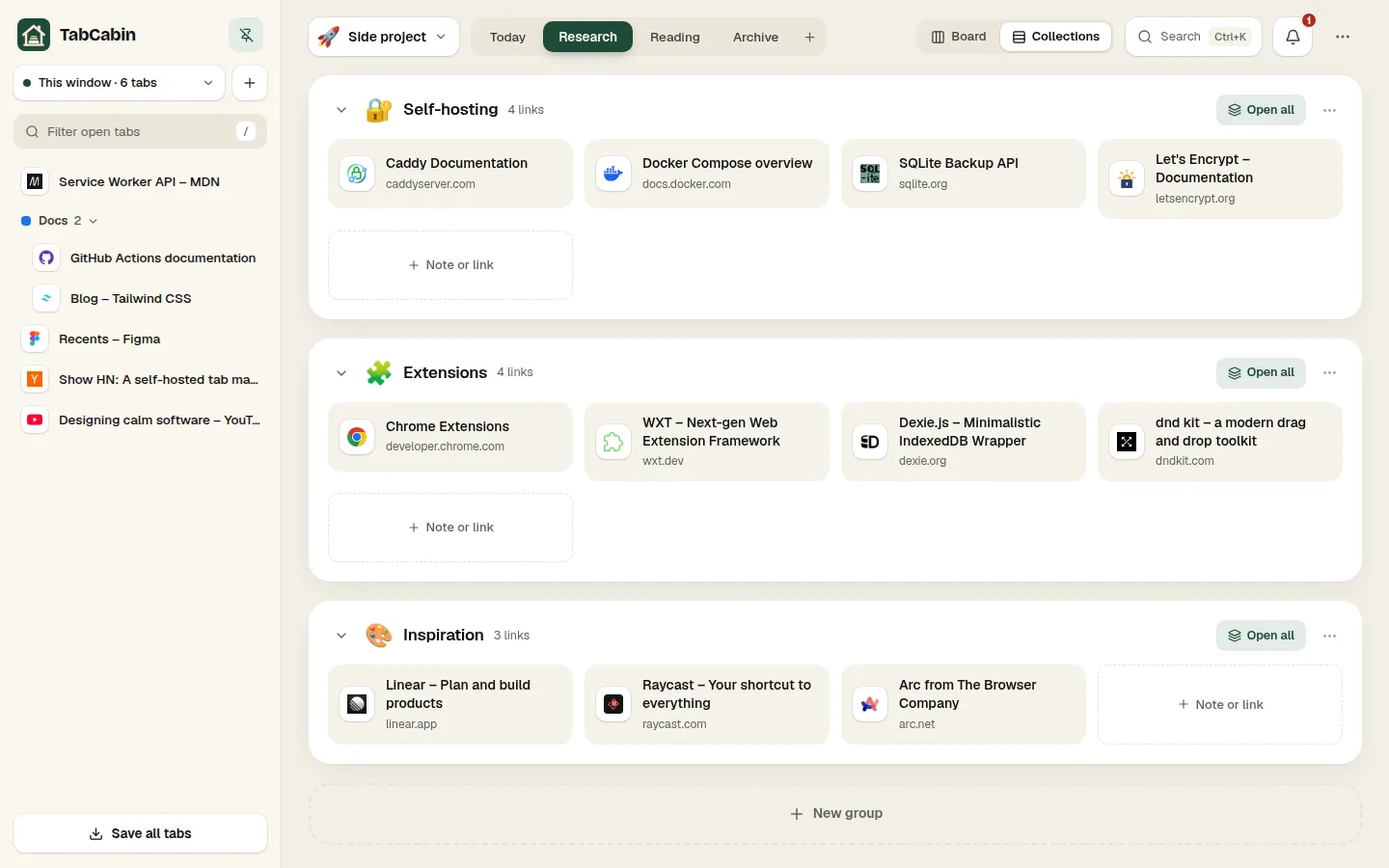
Switch any category to wide panels of link tiles. Same data, calmer overview — open a whole group with one click.
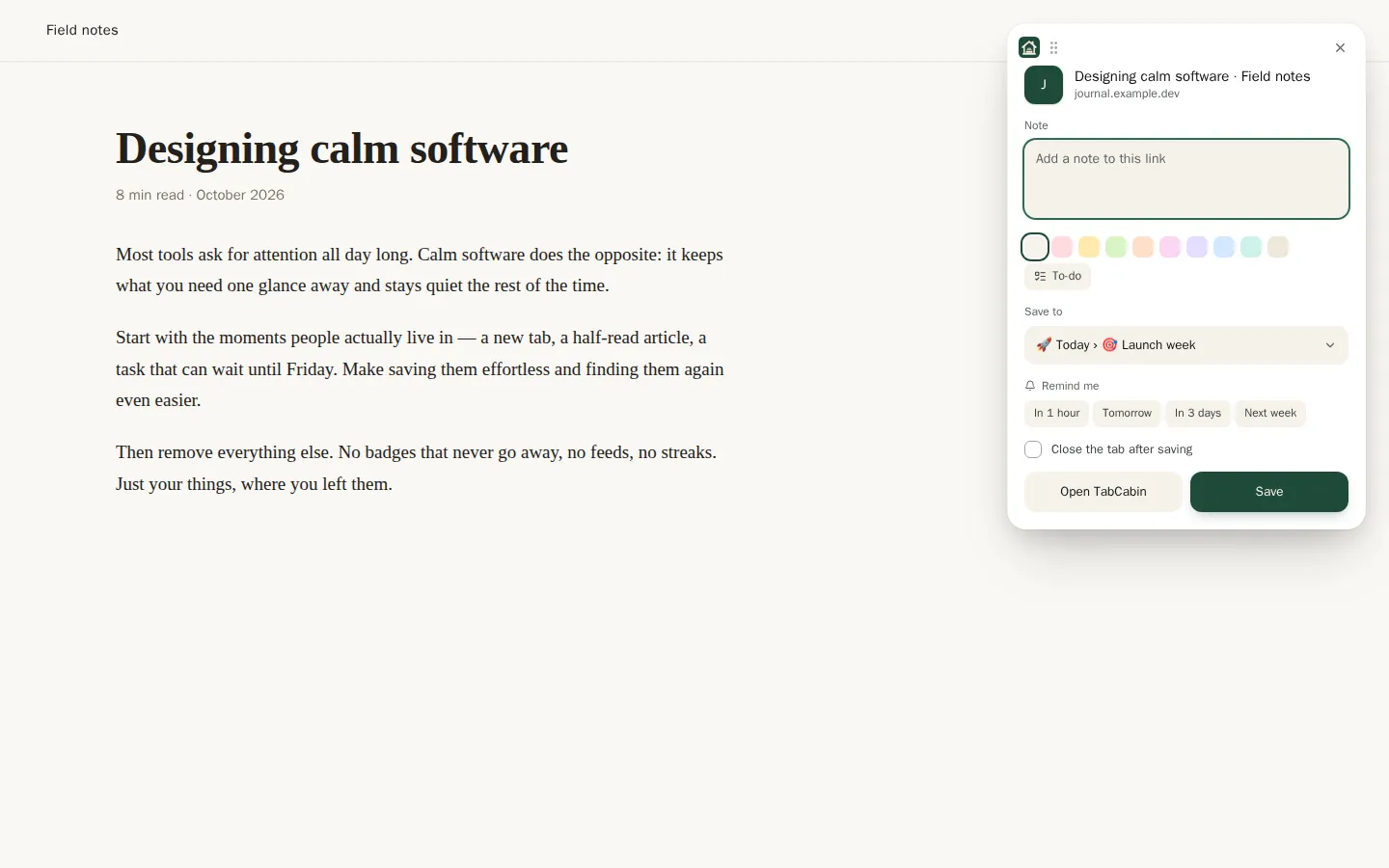
Ctrl+Shift+S opens a small popover: add a sticky note, pick the group, set a reminder, close the tab. The right-click menu saves links, images and selected text.
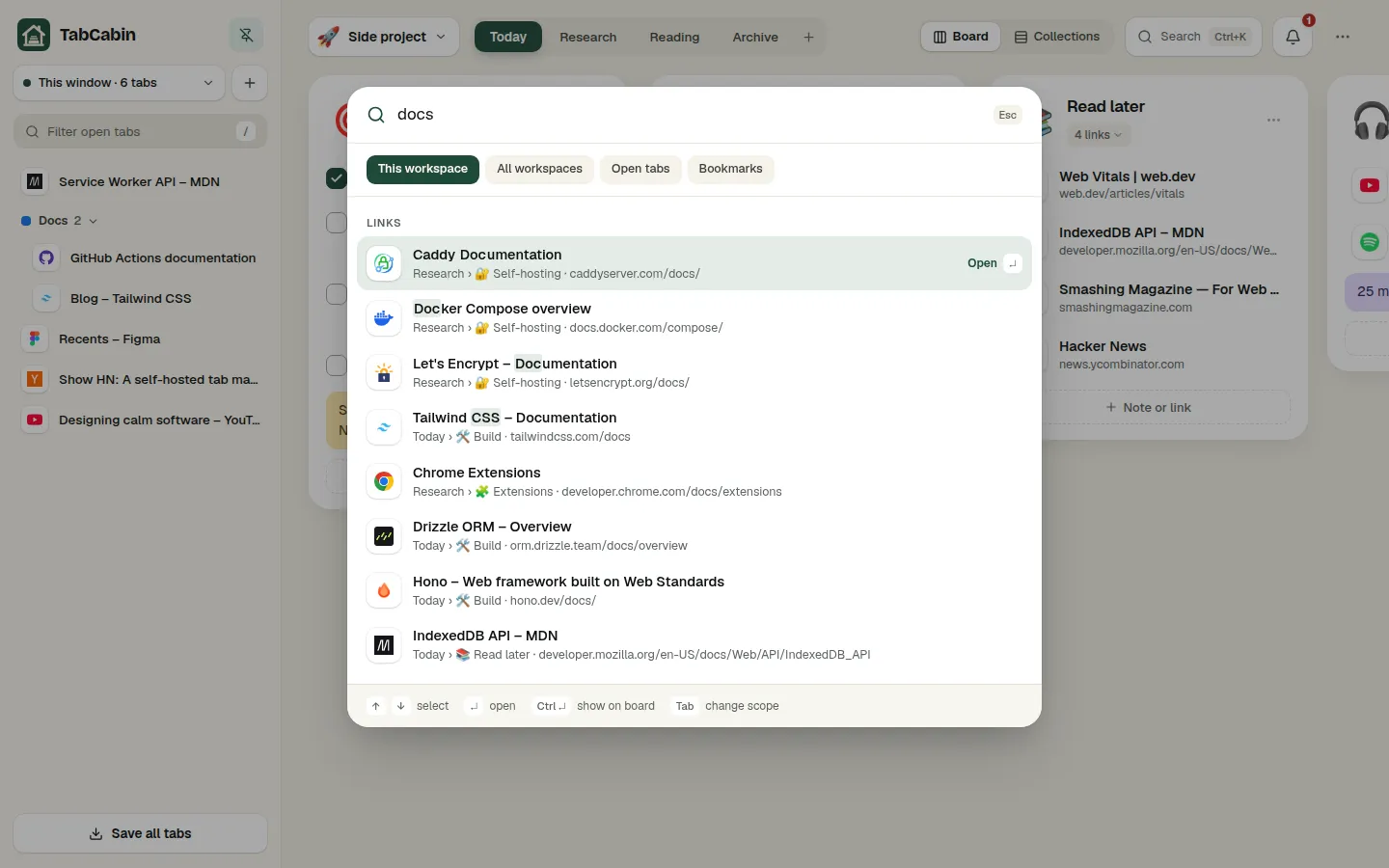
Ctrl+K searches titles, addresses and notes across workspaces, open tabs and bookmarks, then jumps straight to the result on your board.
One-time, weekly or monthly reminders on any link or to-do, with desktop notifications, snooze and a due count on the toolbar icon.
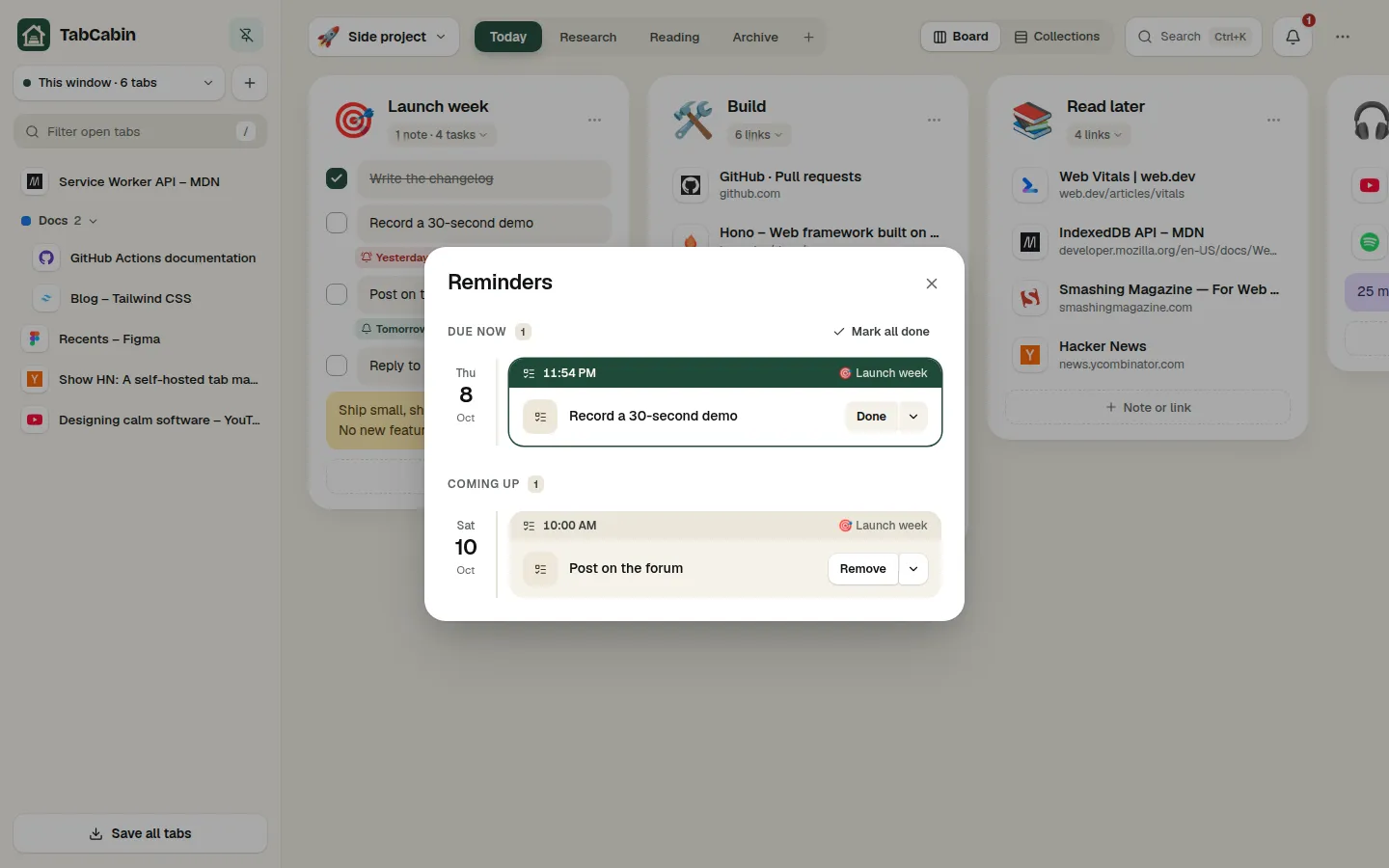
Dragging tabs into groups, saving any page with a note, to-dos, search, collections, reminders, the dark theme and sync.
Built by someone who keeps thirty tabs open “for later” — and wanted a calm place to keep them.
Categories, groups and big emoji headers. Resize, collapse, reorder — all by drag and drop.
The same groups as wide panels of link cards, per category.
All windows and Chrome tab groups. Save a selection, close duplicates.
Right-click menu and a Ctrl+Shift+S popover with a sticky note.
Workspaces, open tabs and bookmarks in one Ctrl+K palette.
One-time, weekly or monthly — with notifications and snooze.
Nine colors, /todo shortcuts, links stacked side by side.
Every change can be undone; deleted things wait in the bin.
JSON, bookmarks and CSV. Bring Chrome bookmark folders along.
Rebindable shortcuts and a cheat sheet on the ? key.
Themes, density and English or Polish.
No analytics, no ads, no access to pages until you click.
Sync works as soon as you sign in. If you would rather keep everything on your own machine, run the sync server yourself: one small container with an SQLite database. Caddy gets the HTTPS certificate, a backup script keeps seven nightly copies, and you build the extension with your server’s address.
Yes. The extension is free and open source under the MIT license, with no limits on how many tabs, groups or workspaces you keep. Running your own sync server is free too.
No. The extension works fully offline and keeps everything in your browser. Sign in only when you want the same boards on more than one computer; you never need a server of your own.
In your browser (IndexedDB). When you sign in to sync, a copy is kept on the TabCabin sync server, or on your own server if you run one. Nothing is sent anywhere else and there is no telemetry.
TabCabin combines kanban boards and a collections view with notes, to-dos and reminders, is open source, works without an account, and lets you run the sync server yourself. See the comparisons.
Yes: TabCabin backups, Toby and tabExtend exports, bookmark files from any browser or bookmark manager, OneTab lists, Chrome bookmark folders and your most visited sites. You can also save every open tab at once from the tabs panel, and export everything as JSON, a bookmarks file or CSV. Step by step: moving from Toby, OneTab or Workona.
Chrome and other Chromium browsers such as Edge, Brave and Vivaldi. The board also opens in Chrome’s side panel.
Yes, if you want your data only on your own machine. You need Docker and a domain; a small VPS or a Raspberry Pi is plenty. You then build the extension with your server’s address. The self-hosting overview and the step-by-step guide cover HTTPS, accounts, backups and updates.
Free and open source. Move in within a minute, sync when you are ready.